🎉 CA$100 off until December 31, 2026 with code AZADMEDIA See pricing
Membership Manager
Everything at a glance
01 / 15

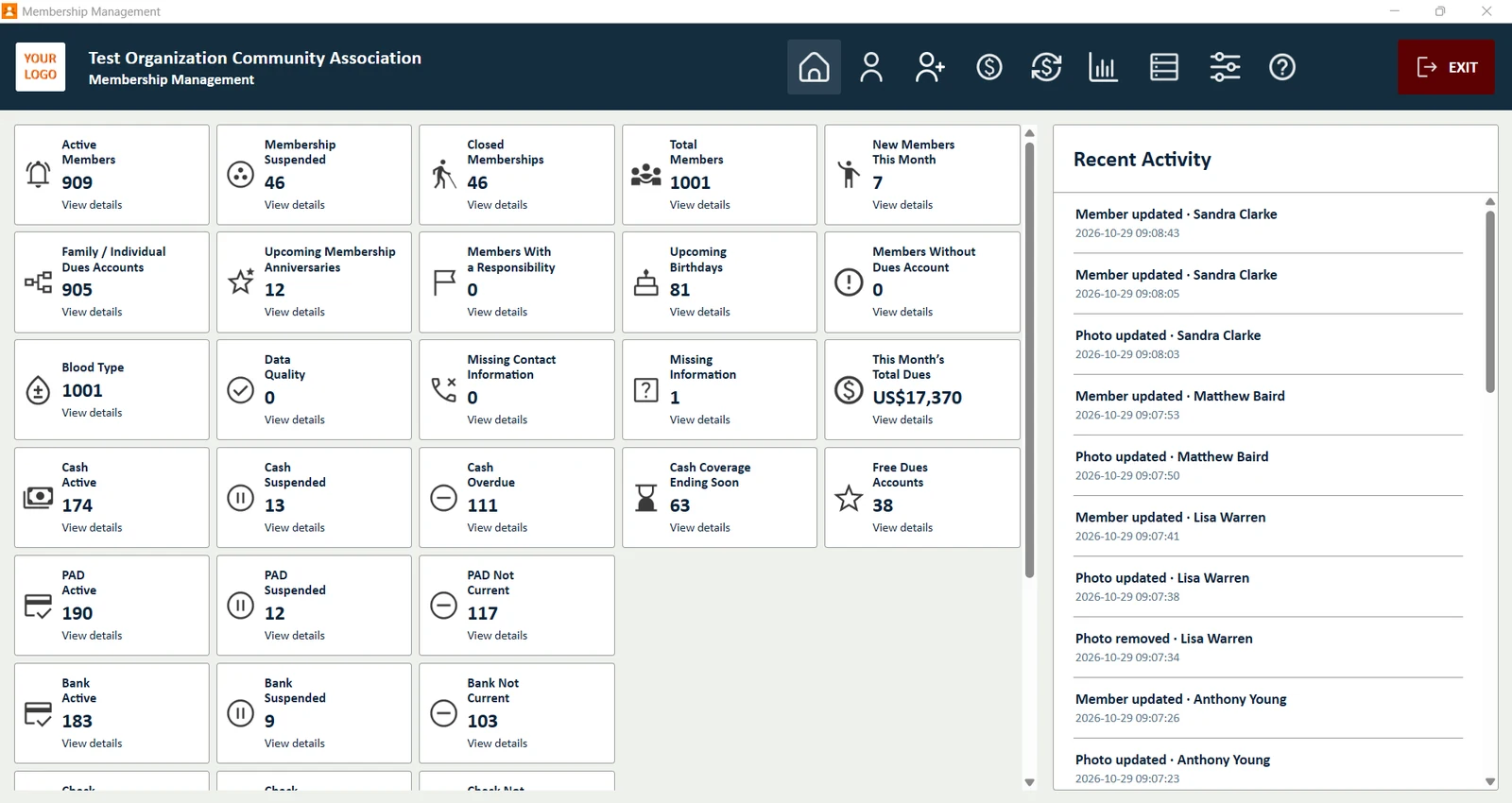
Everything at a glance

The Home screen counts your members and dues in one view: active, suspended and closed memberships, overdue cash dues, accounts that are not current, upcoming birthdays and anniversaries. Click any box to open the list behind the number.

  • A box for every payment method and status
  • Recent activity: who was added or updated
  • Blood type, missing information and data quality checks
Complete member records
02 / 15

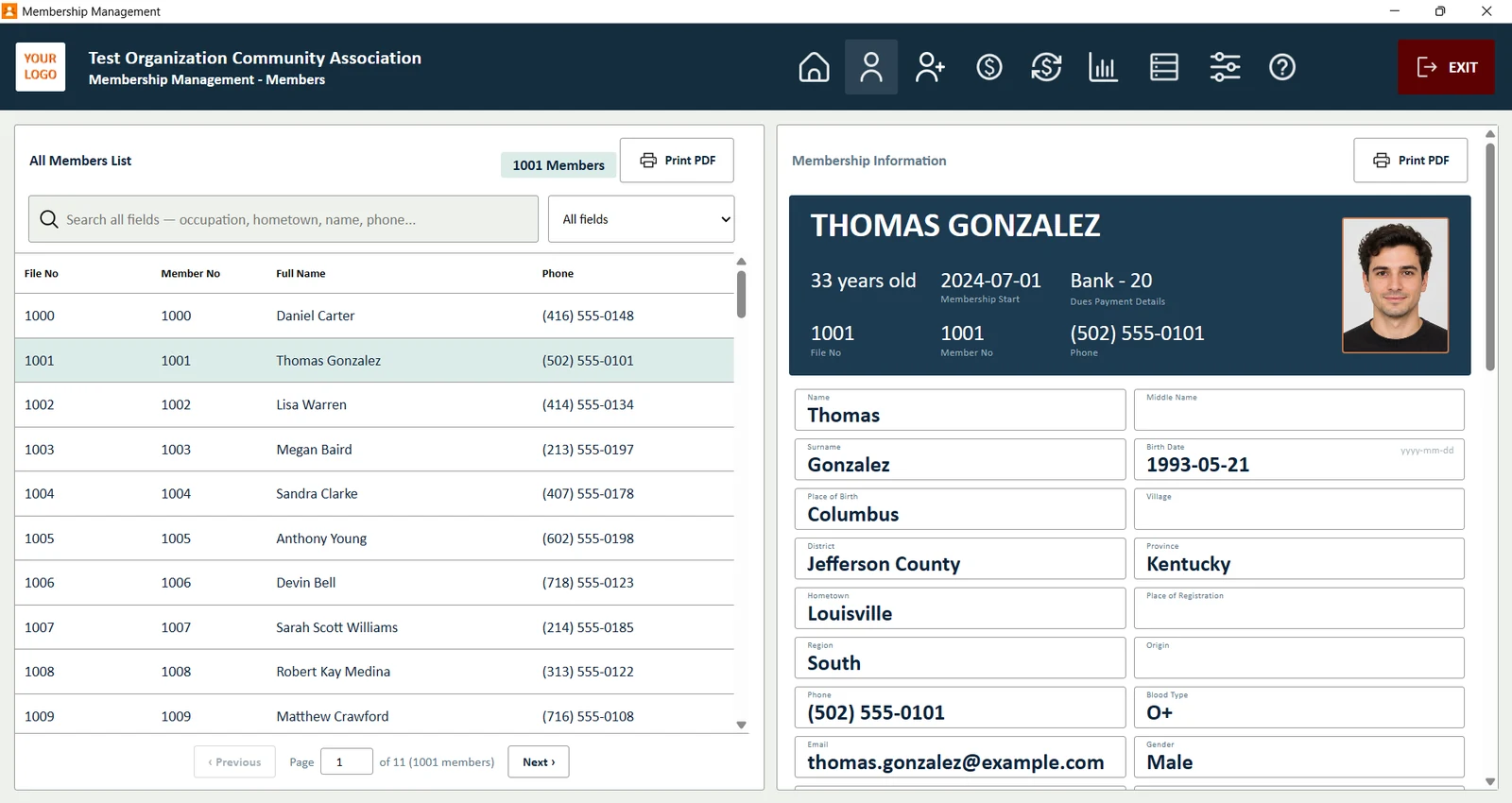
Complete member records

Search every field at once: name, phone, member number, occupation or hometown. Each member opens on a clear card with photo, contact details and dues summary.

  • Middle name, birth date, blood type, education and more
  • Photo on every member card
  • Print any member card as a PDF
Every member's dues at a glance
03 / 15

Every member's dues at a glance

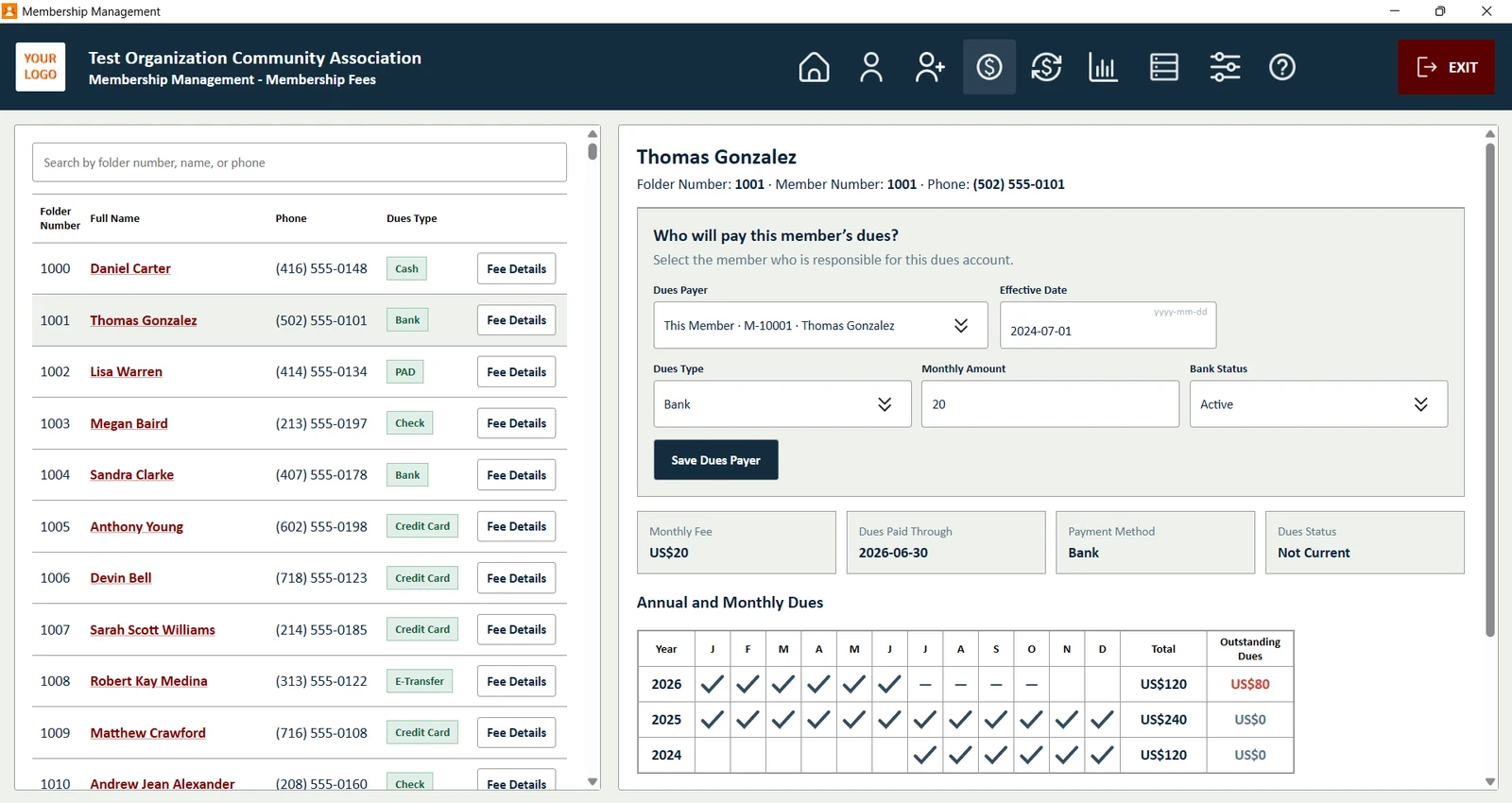
Choose who pays for each member, the payment method and the monthly amount. A yearly calendar shows paid months with a check and unpaid months with a dash, with the outstanding total for each year.

  • Family accounts: one payer for several members
  • Suspend or close an account in one step
  • Outstanding dues calculated for every year
Import non-cash payments, month by month or in bulk
04 / 15

Import non-cash payments, month by month or in bulk

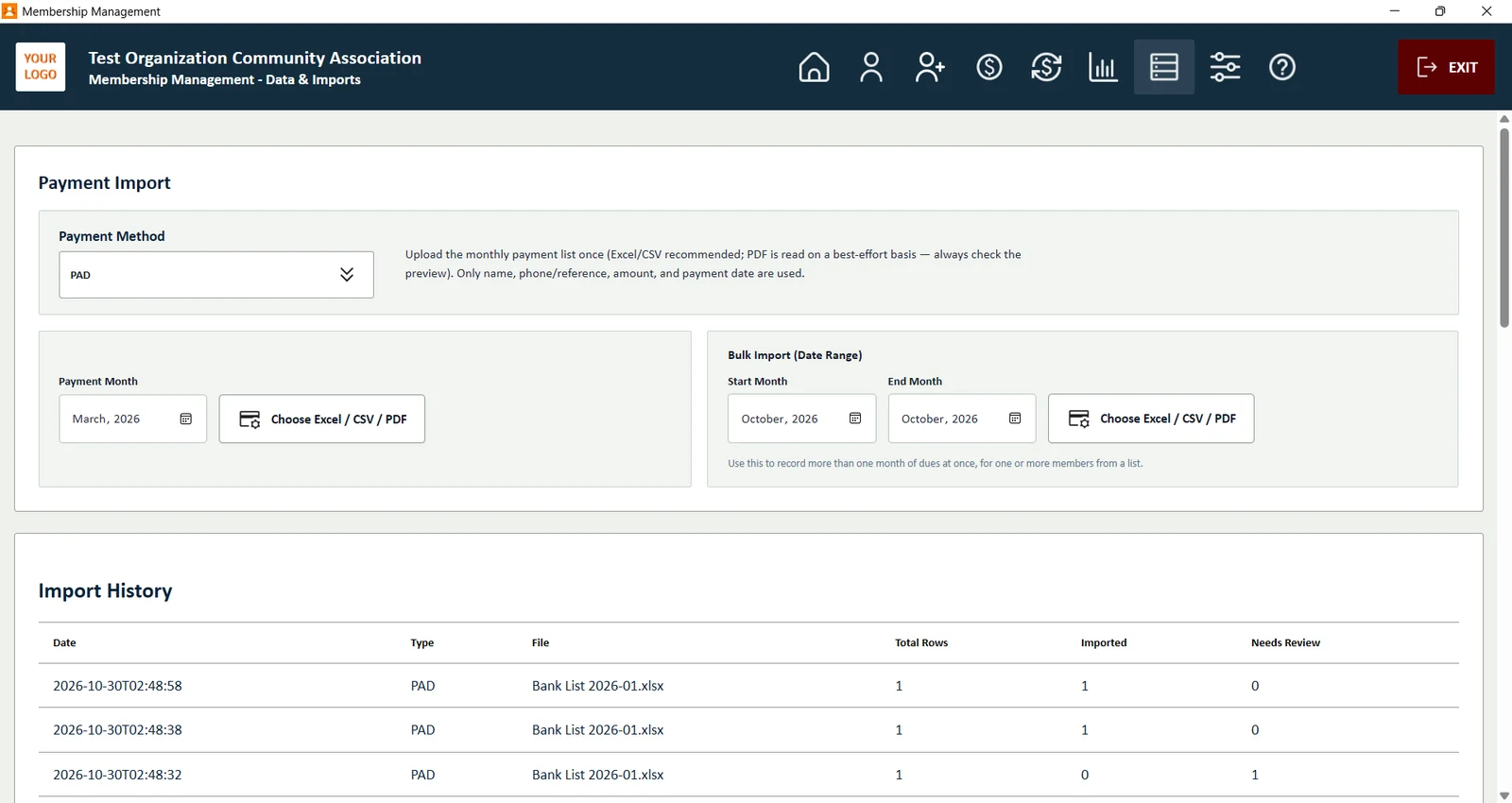
PAD (automatic payment), bank transfer, cheque, e-Transfer and credit card payments come in from a single Excel, CSV or PDF file. Import one month at a time, or a whole date range at once. Each row is matched to a member by name or phone number, and you review the matches before they are saved.

  • Every payment method except cash
  • Monthly import or bulk import for a date range
  • Import history, with a way to remove an incorrect import
Cash reports in one click
05 / 15

Cash reports in one click

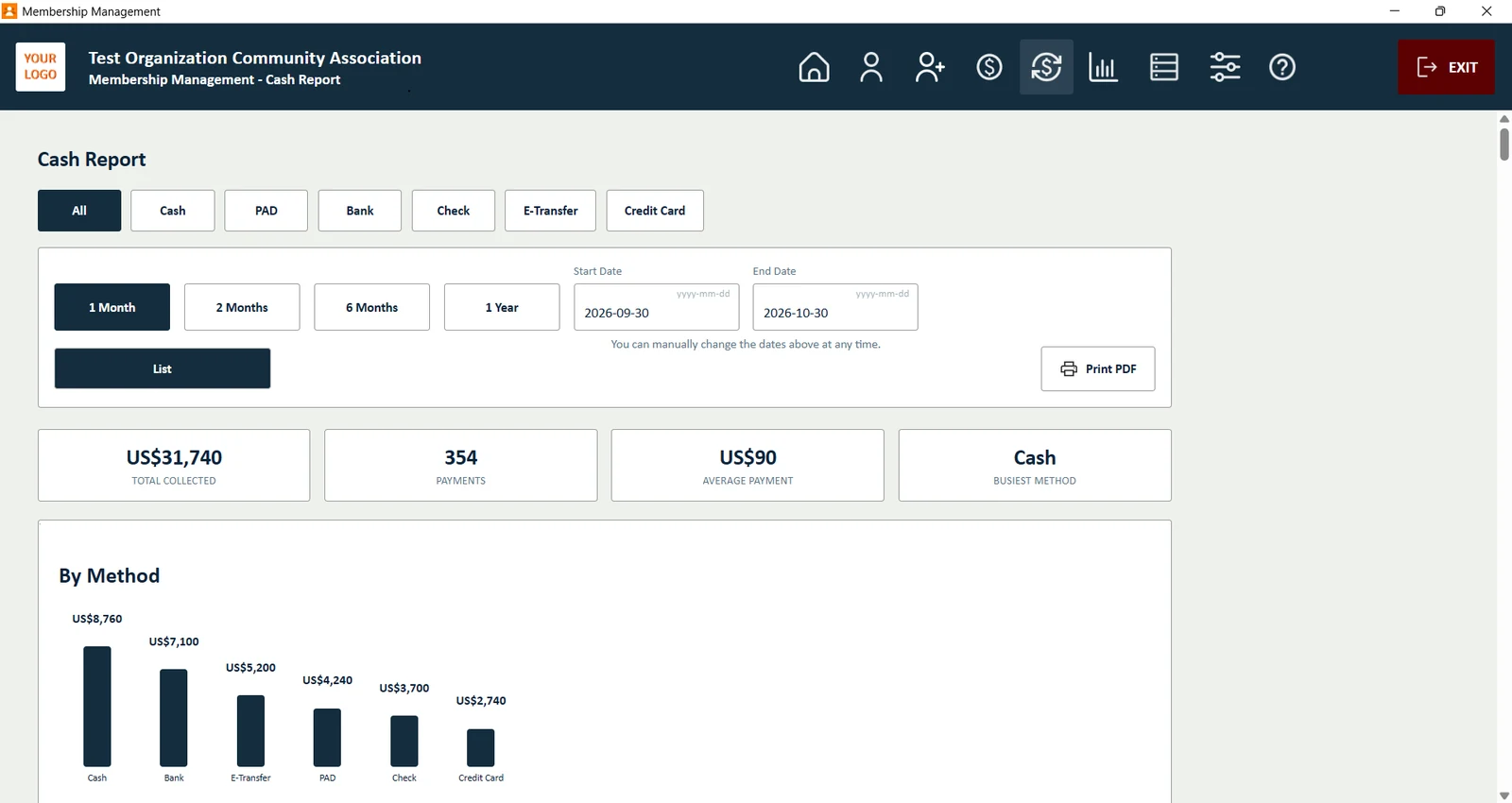
See money in by payment method and period: one month, three months, six months, a year or any date range. Totals, number of payments and average payment appear at the top.

  • Filter by Cash, PAD, Bank, Cheque, E-Transfer or Credit Card
  • Totals by payment method as a chart
  • Print the report as a PDF
Print any list, search or chart to PDF
06 / 15

Print any list, search or chart to PDF

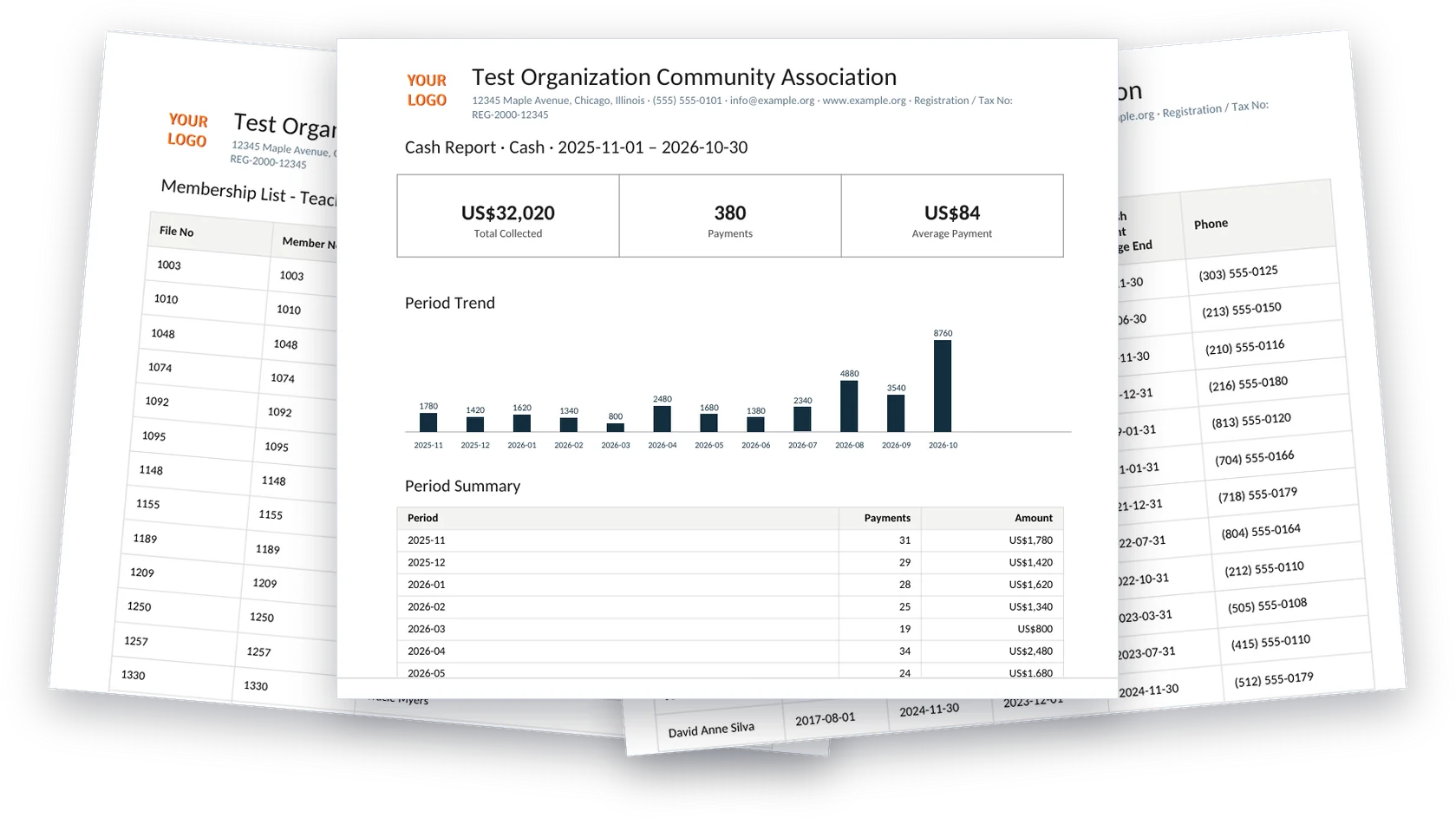
Every search result, member list, statistics page and chart has a Print PDF button. Each PDF carries your organization's name, logo and contact details, ready to hand out at a board meeting or keep on file.

  • Search results and every member list
  • Statistics, charts and cash reports
  • Member cards and dues tables
See who is behind on dues
07 / 15

See who is behind on dues

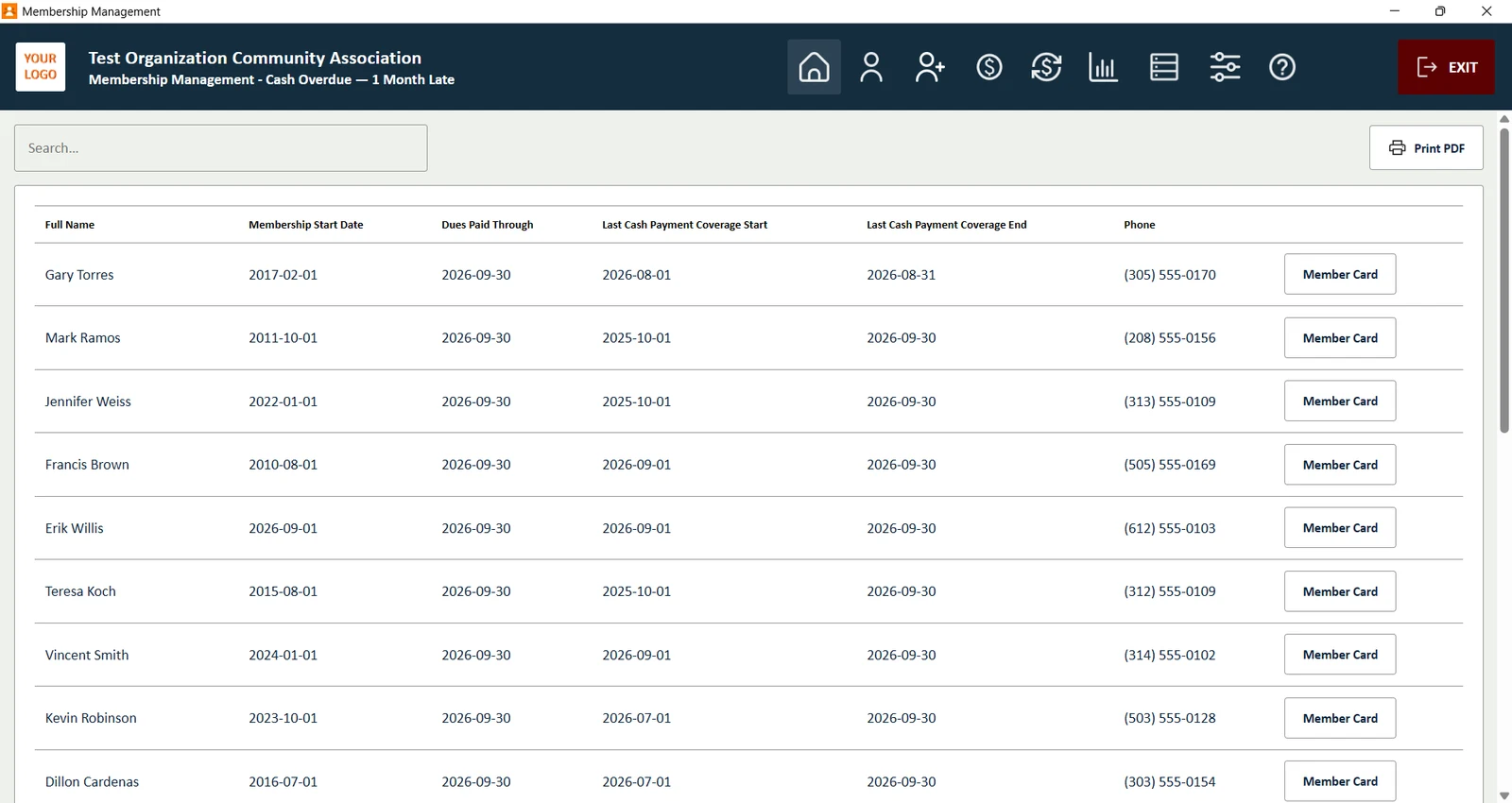
Members who are 1, 2, 3 or 4+ months late each have their own list, with their last payment, phone number and a button to open their member card.

  • Separate lists by how late the payment is
  • Phone numbers ready for reminder calls
  • Print the list as a PDF
Statistics for your board
08 / 15

Statistics for your board

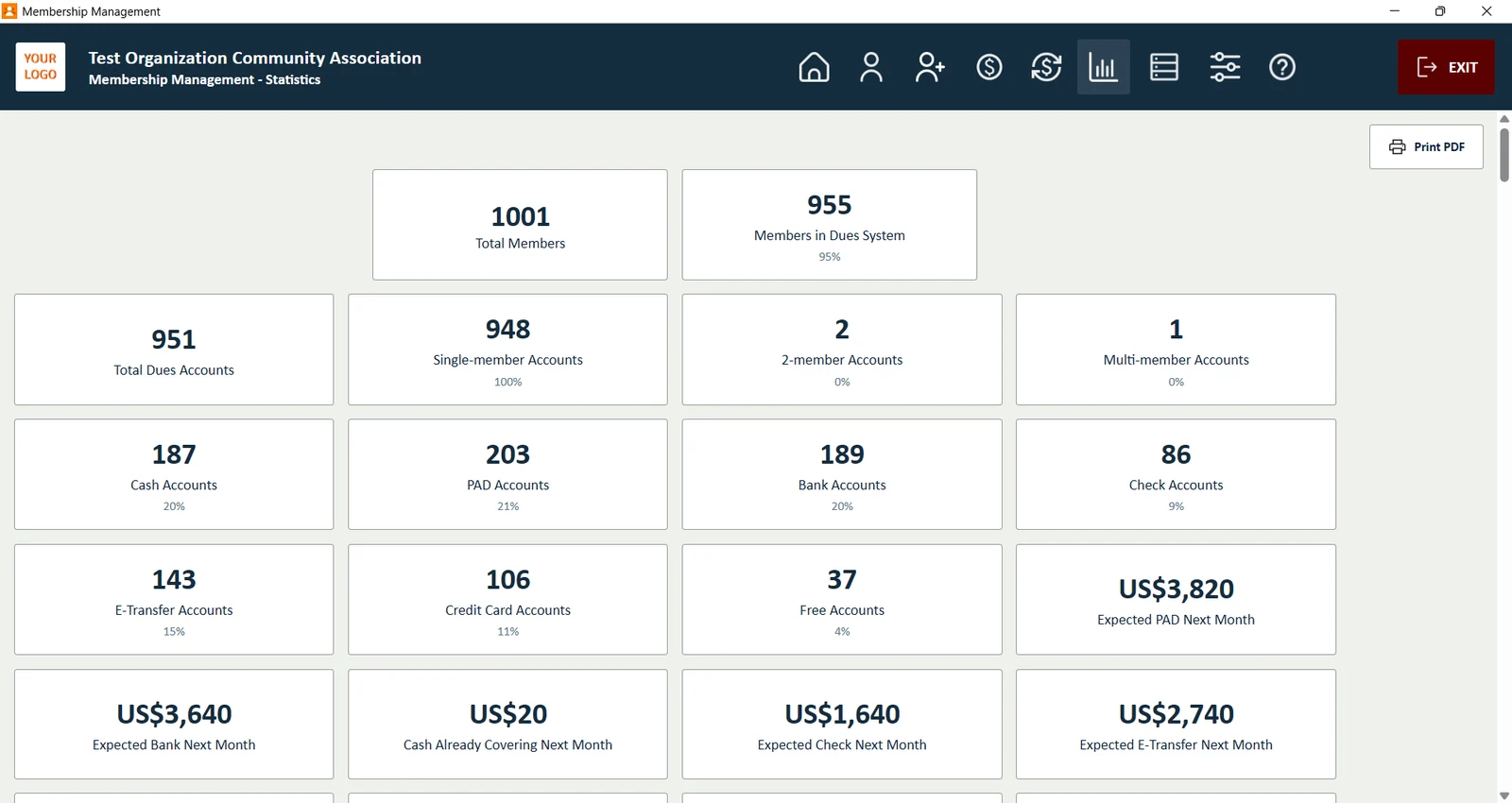
Total members, dues accounts by type, accounts per payment method and the income you can expect next month, ready to present at a board meeting.

  • Single and multi-member accounts counted separately
  • Expected income per payment method
  • Statistics export to PDF
Charts for your membership
09 / 15

Charts for your membership

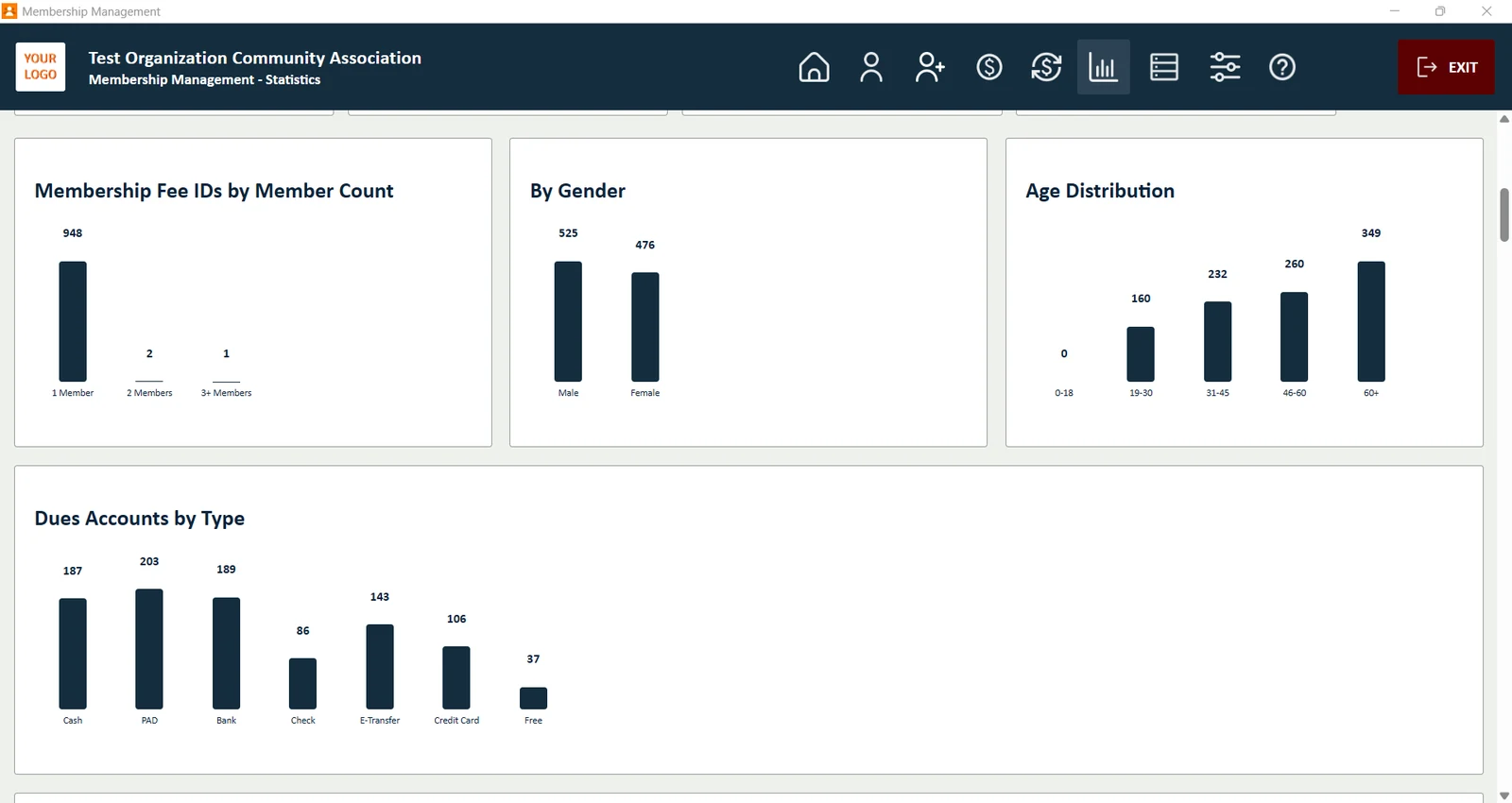
See your membership by gender, age group, dues account type and membership fee IDs, drawn from your own records.

  • Gender and age distribution
  • Dues accounts by payment type
  • Included in the statistics PDF
See who joins and who leaves
10 / 15

See who joins and who leaves

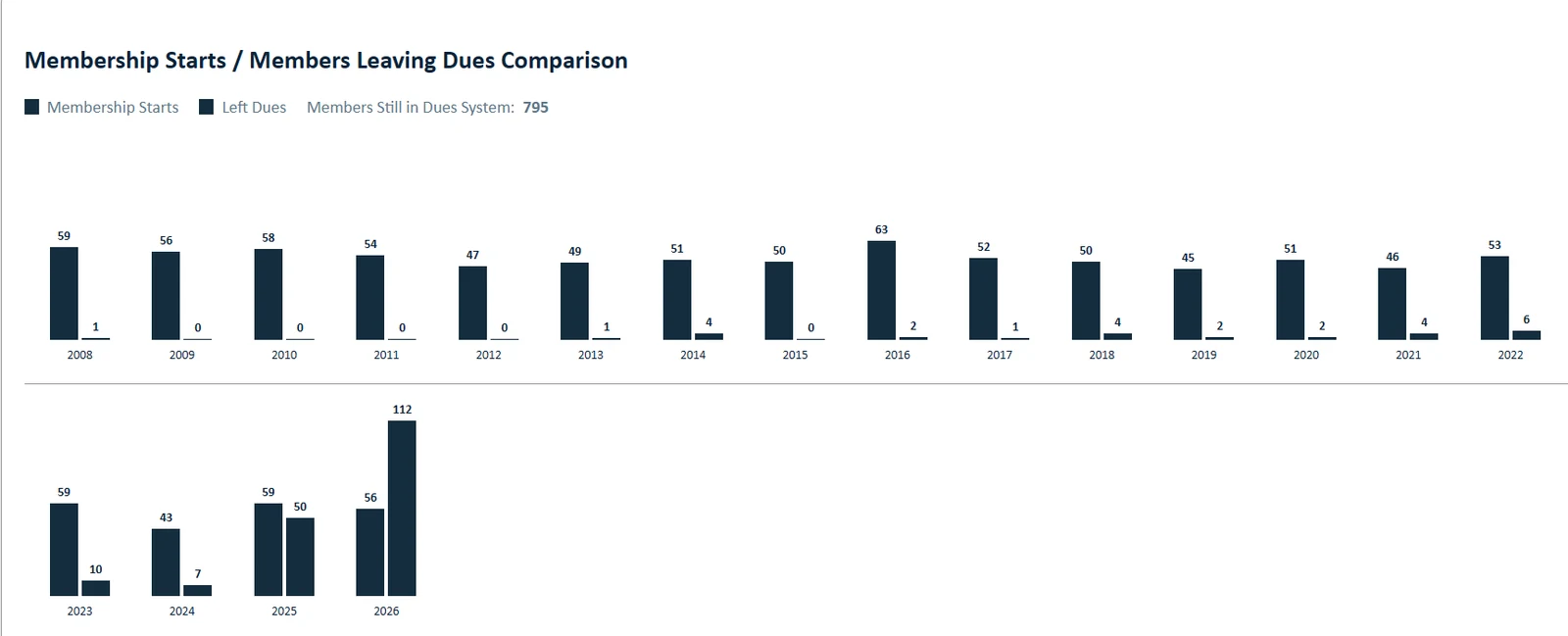
Compare new memberships with members who left the dues system, year by year, and spot trends before they become problems.

  • New members per year
  • Members leaving dues per year
  • Included in the statistics PDF
Chart any field you track
11 / 15

Chart any field you track

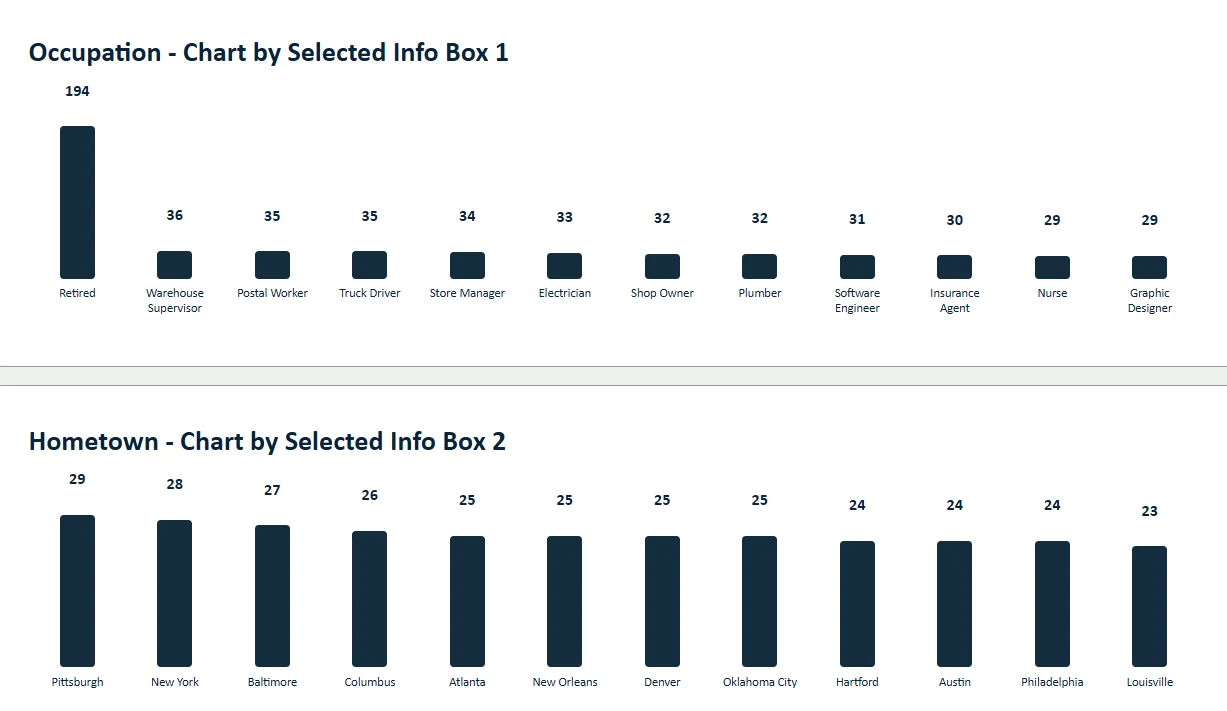
Pick an information box such as occupation or hometown and see the most common values as a chart.

  • Occupation, hometown, origin and other fields
  • Print the charts as a PDF
  • Choose which boxes to chart in Settings
Make it yours
12 / 15

Make it yours

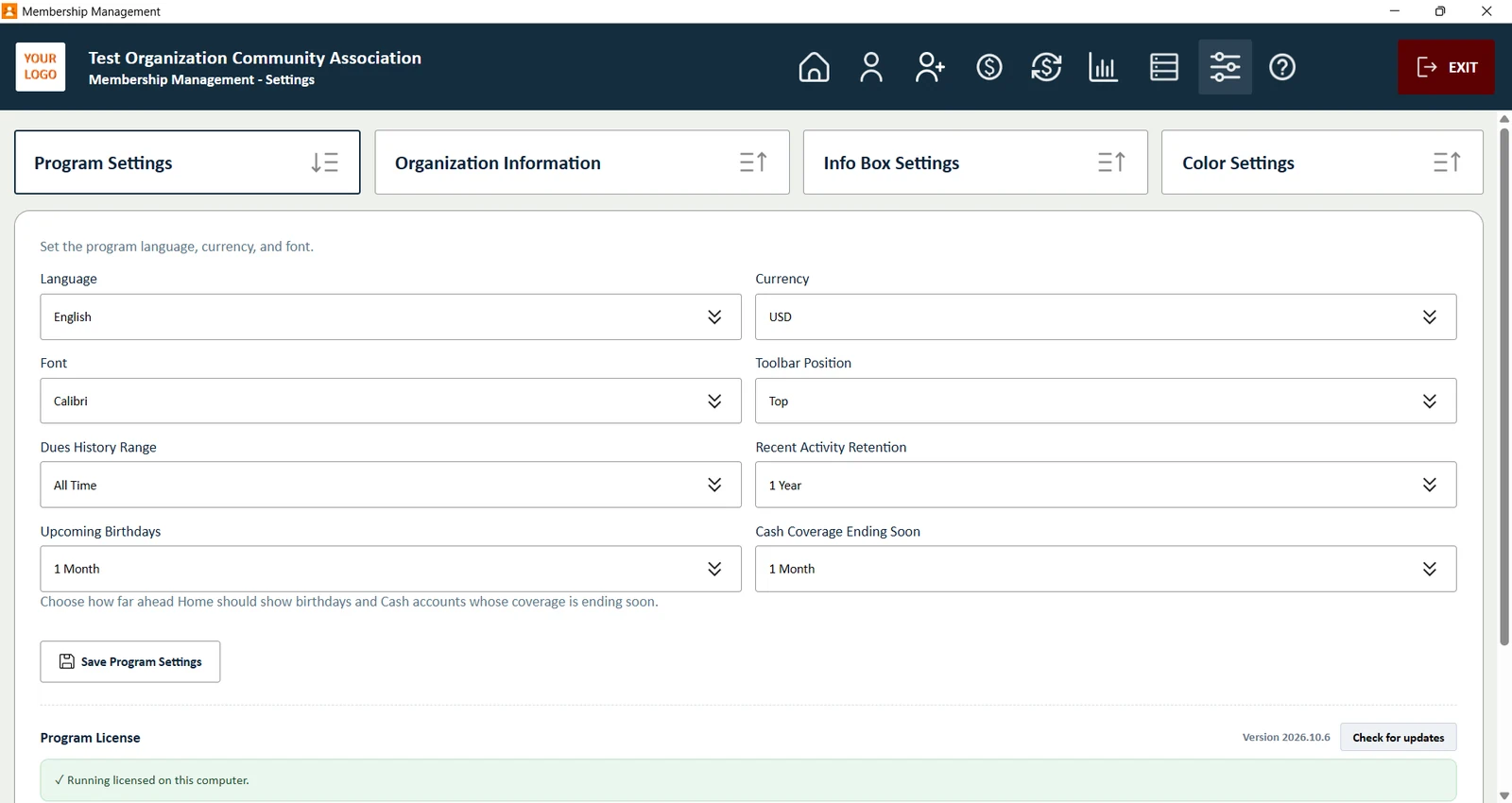
Choose the language, currency and font, and decide how far back dues history and recent activity go.

  • Six languages: English, Kurdish, Turkish, German, French, Spanish
  • Currency, font and date settings
  • License status and update check in one place
Your organization on every report
13 / 15

Your organization on every report

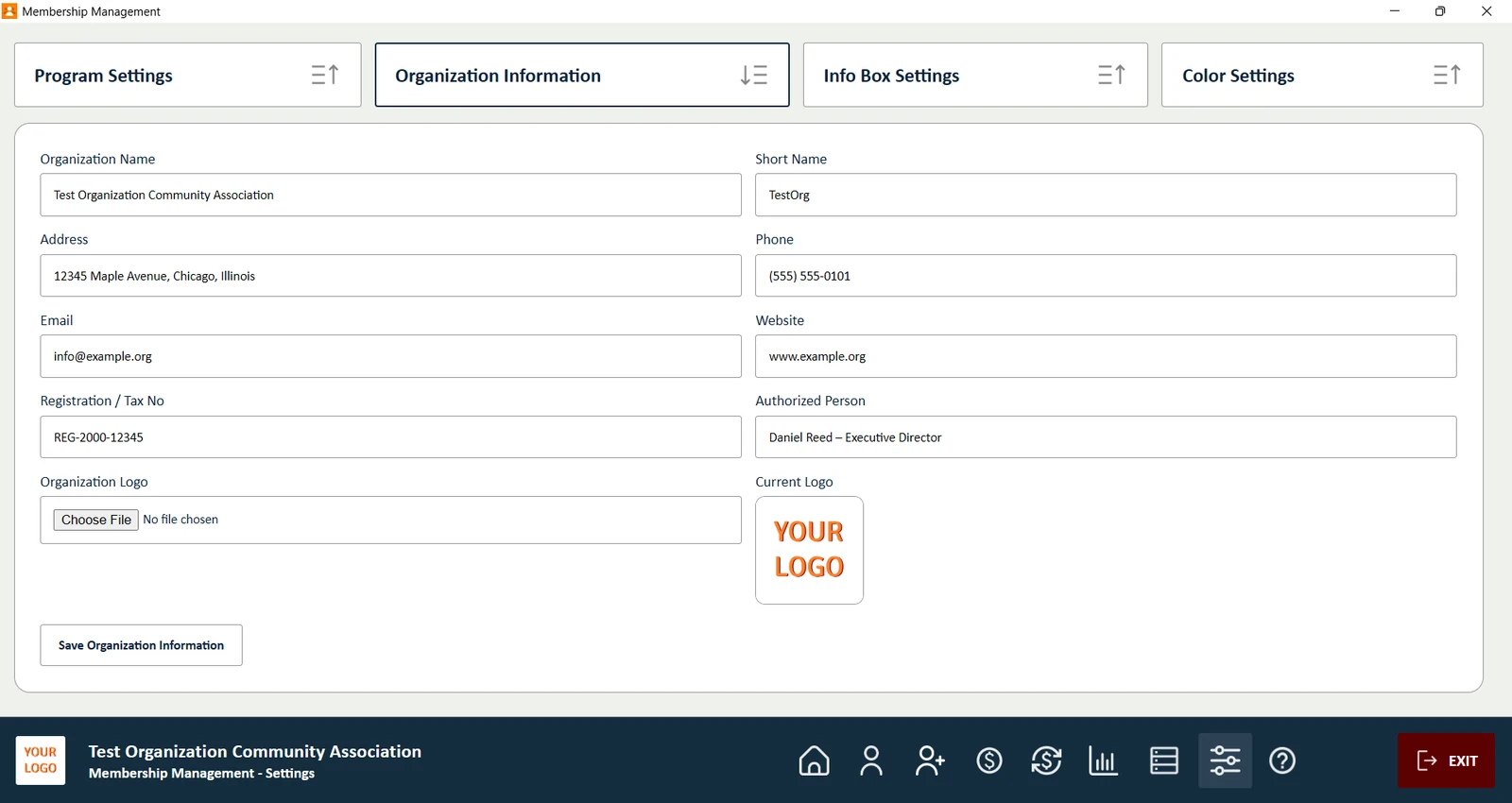
Enter your organization's name, address, phone, email, website, registration number and logo once. They appear on member cards and PDF reports.

  • Name and short name
  • Contact details and registration or tax number
  • Your own logo on every PDF
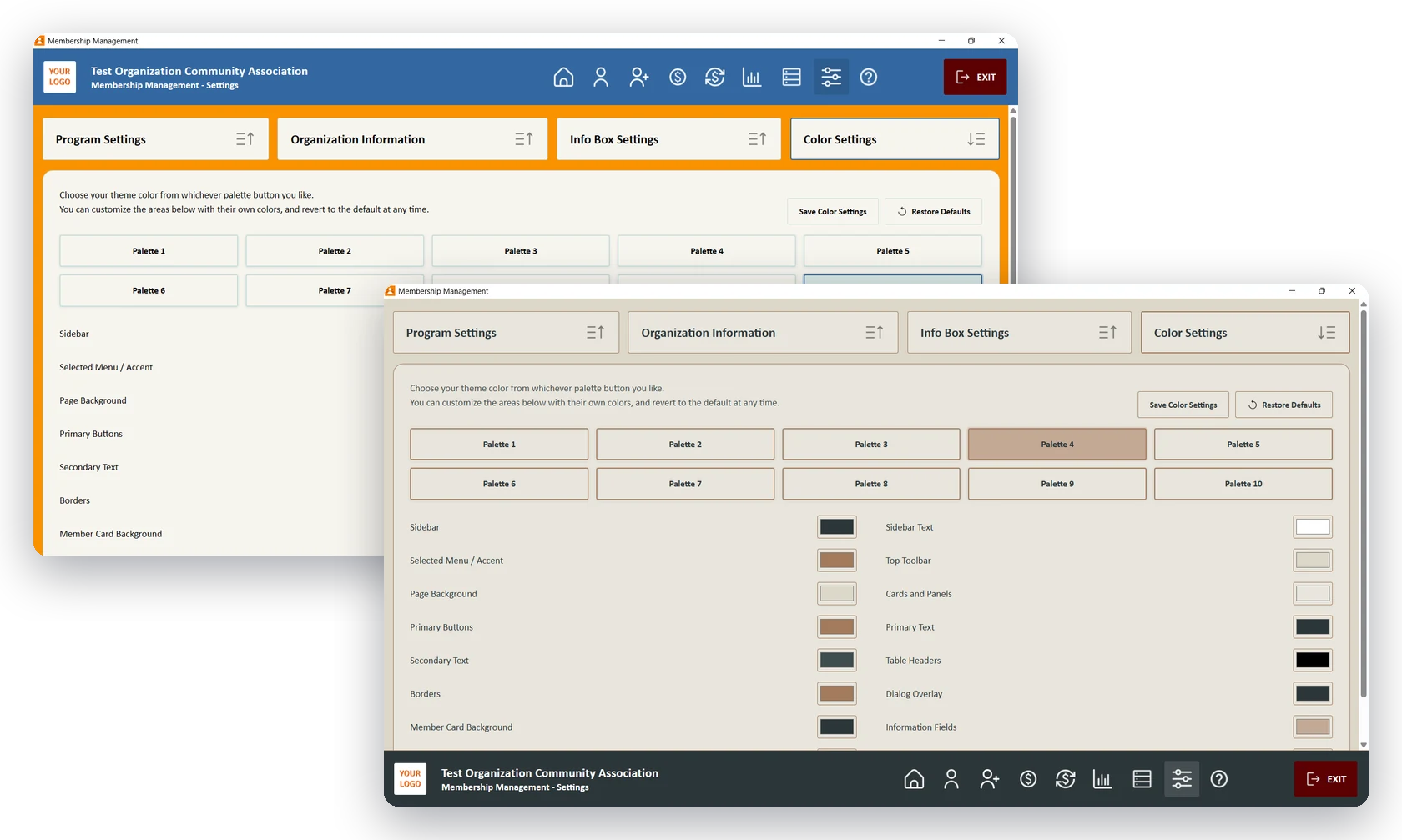
Two colour themes side by side, one with the menu bar at the top and one with it at the bottom
14 / 15

Your colours, your layout

Pick one of ten ready-made colour palettes, or set your own colour for each part of the screen: menu bar, buttons, cards, member card background and more. Put the menu bar at the top or the bottom of the window, whichever suits the way you work.

  • 10 ready-made colour palettes
  • Your own colour for every area of the screen
  • Menu bar at the top or at the bottom
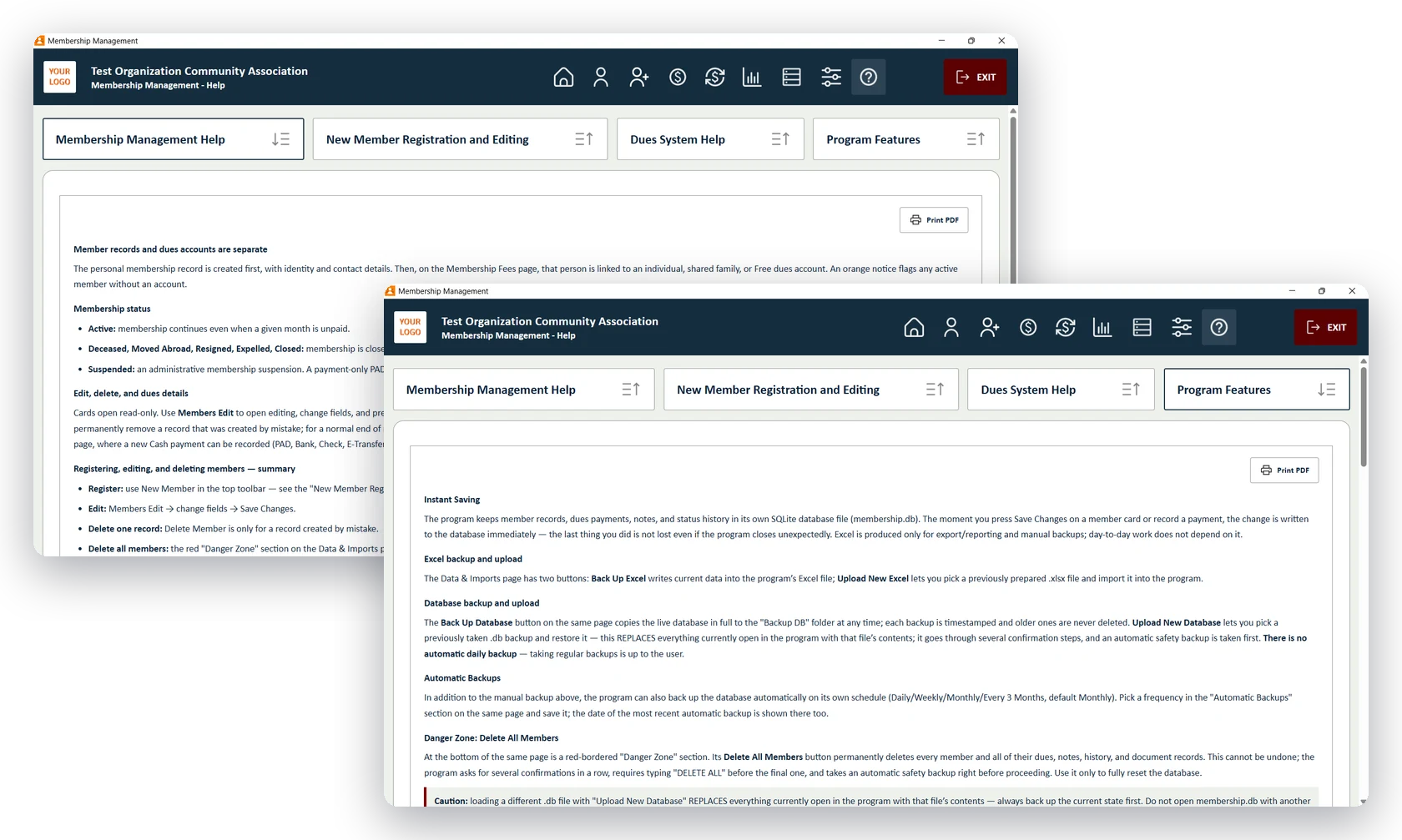
The built-in Help page with topics for membership, new members, dues and program features
15 / 15

Detailed help, ready to print

A full guide is built into the program, written in plain language. It explains how member records and dues accounts work, how to register and edit members, how the dues system and payment imports work, and how backups keep your data safe.

  • Four help topics covering every page of the program
  • Print any help topic as a PDF for your volunteers
  • Backups, imports and safety steps explained

Try every feature free with up to 10 members.

No time limit and no credit card. When you are ready, buy a license and enter your key in Settings. The 10-member limit is removed instantly, everything you entered during the trial stays, and all future updates are free.